Getting Started as a Seller
This guide walks you through everything you need to start selling cakes on CakeMarket.
Prerequisites
Before you begin, you'll need:
- An email address for your account
- Your bakery/organisation details (name, address, contact info)
- Optionally: portfolio images and a food-authority document for private badge review
Quick Start Overview
The seller journey has these stages:
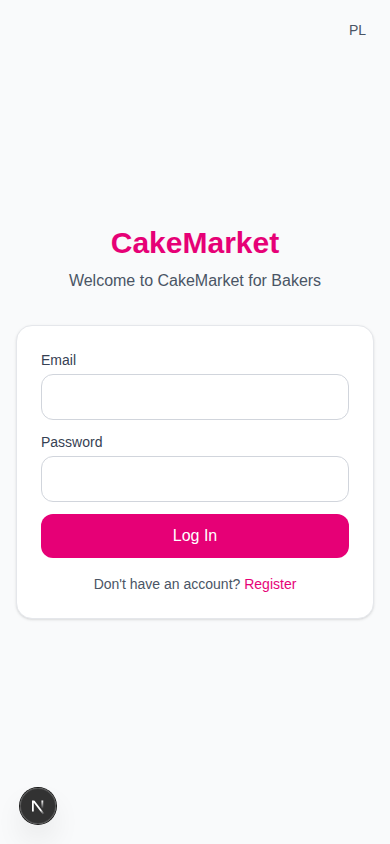
- Create an account — Register on the seller portal (
/seller) - Complete onboarding — Provide personal details and join or create an organisation
- Complete required seller details — Confirm your legal status and baker declaration
- Connect Stripe — Securely enable customer payments and payouts; this activates the organisation automatically
- Complete recommended setup — Capabilities, operations, portfolio and optional Sanepid proof can remain drafts
- Receive & respond to requests — Submit offers with pricing and images
- Fulfil orders — Track and manage orders through to delivery
Seller Portal Navigation
Once onboarded, the seller portal has these main sections:
| Section | Description |
|---|---|
| Dashboard | Stats overview, setup checklist, recent activity |
| Requests | Incoming cake requests from buyers |
| Orders | Active and completed orders |
| Organisation | Settings, capabilities, portfolio, members, certification |
| Payments | Earnings, payment history, Stripe connection |
| Profile | Personal account settings |
Mobile vs Desktop
- Desktop: Sidebar navigation on the left + top bar
- Mobile: Bottom tab bar + top bar
Next Steps
- Onboarding → — Detailed walkthrough of account setup
- Dashboard → — Understanding your seller dashboard
- Organisation Setup → — Configure your bakery